Hotel PMS — the chosen shell
Decided 2026-08-22. A hybrid of all four explorations:
- B · Shift Worklist — the left pane is a prioritised queue. It answers "what
do I do next", which matters because neither the team nor the hotel's staff
have used a PMS before. - C · Three-pane — a persistent right context rail (actions, room, guest
history, reservation) plus the function-key status bar. Actions never move. - A · Timeline Canvas — the tape chart, as a tab in the centre pane.
- D · Command palette —
⌘K/Ctrl-Kover any view.
UI language: English. Changed from the earlier Bahasa Indonesia default.
1 · Tasks — the default view
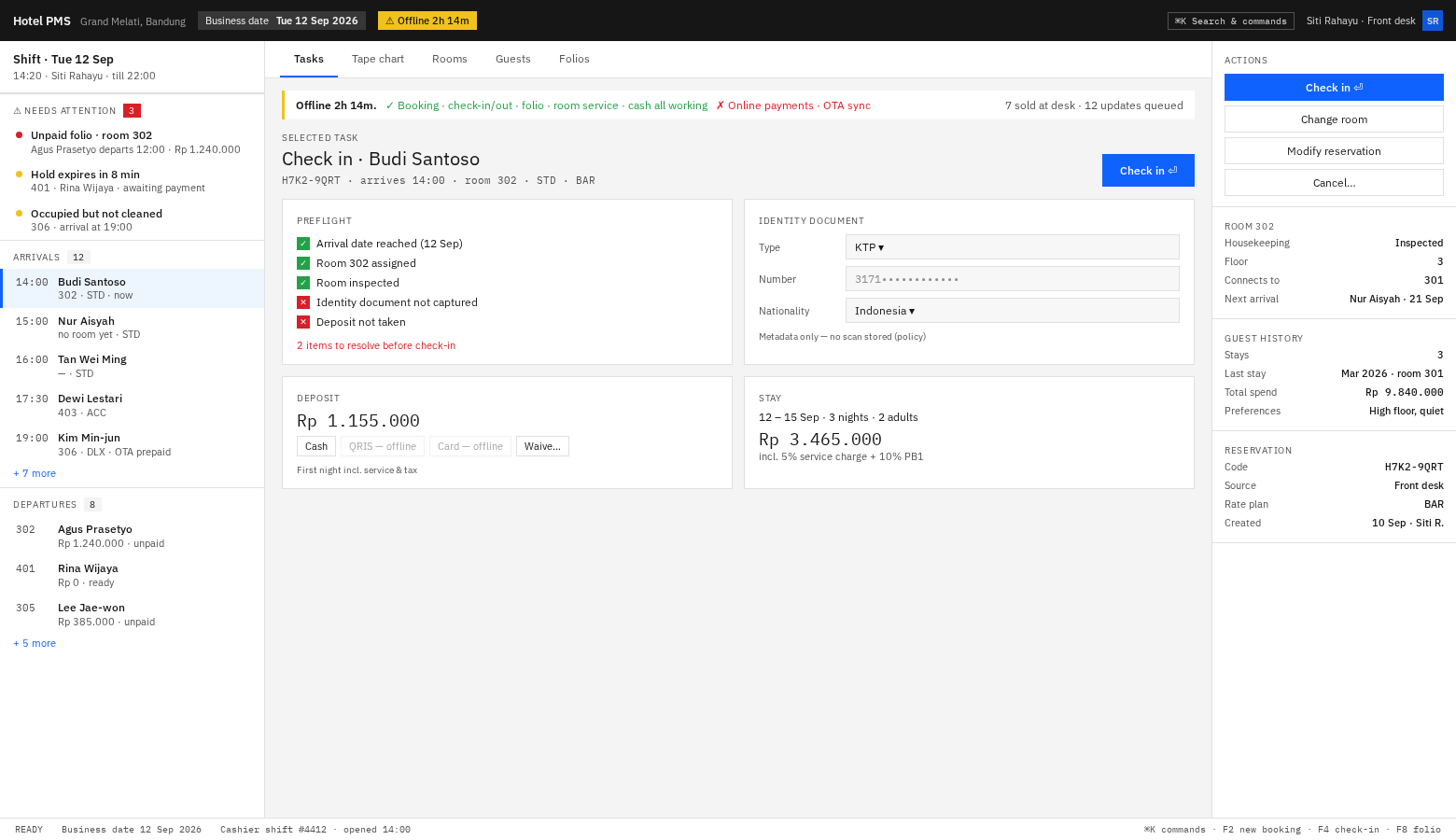
Left: attention items first (3, red badge), then arrivals, then departures.
Centre: the selected task, complete — preflight, identity, deposit, stay.
Right: actions pinned at the top, then context that would otherwise cost a click.
Note the offline handling: the banner names what still works before what does
not, and the QRIS/Card buttons are visibly disabled in the place the cashier
reaches for them rather than hidden.
2 · Tape chart — same shell, centre tab swapped
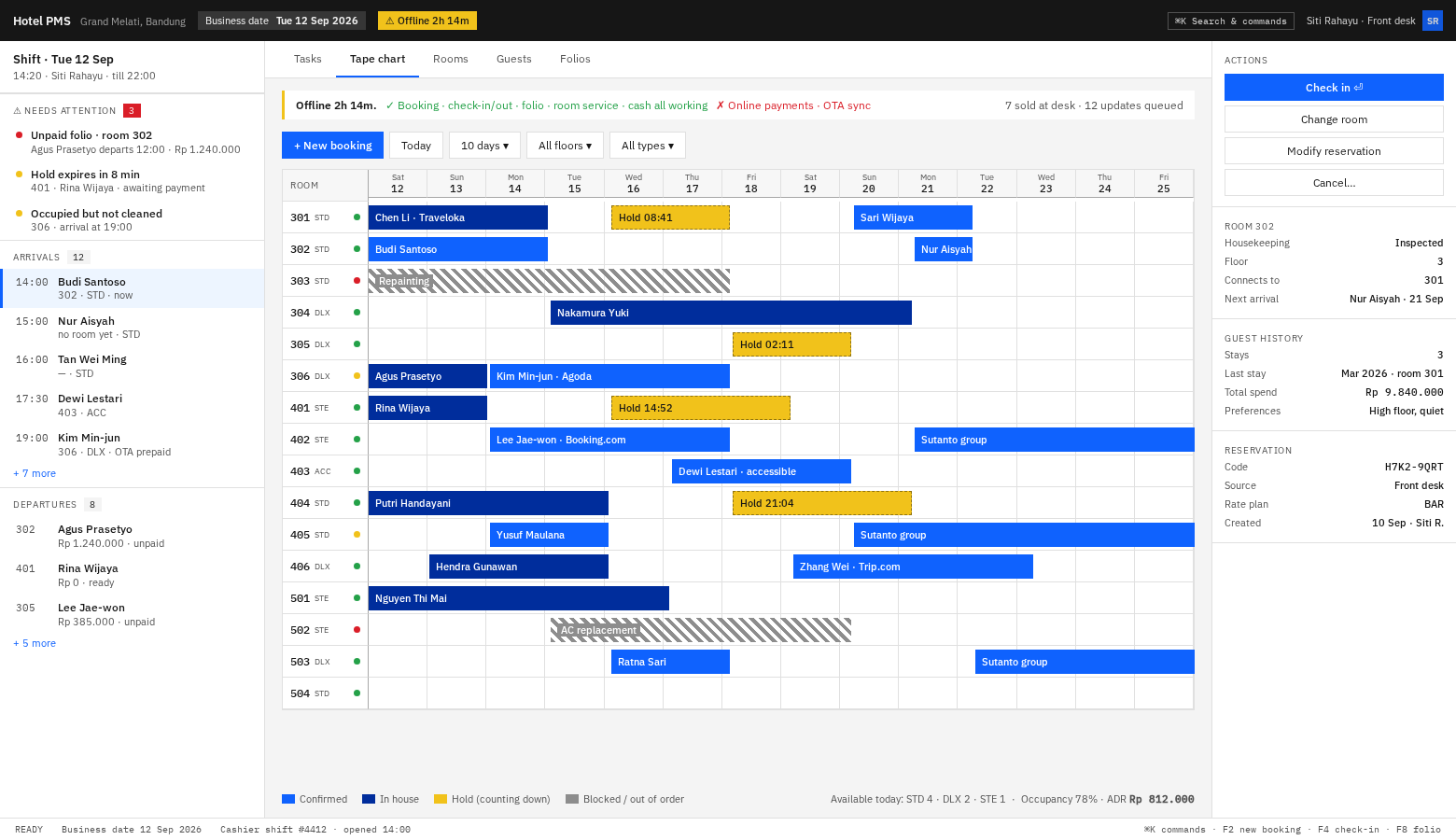
The grid fills the whole centre pane — 14 days visible without scrolling, and
at the real 80 rooms it scrolls vertically inside the pane while the day header
stays pinned. The worklist and context rail never move, so you keep your place.
Hold bars are hatched with a countdown; 303 and 502 are out-of-order blocks,
drawn in the same lane as reservations because blocks share the allocation table.
3 · ⌘K — search and commands over any view
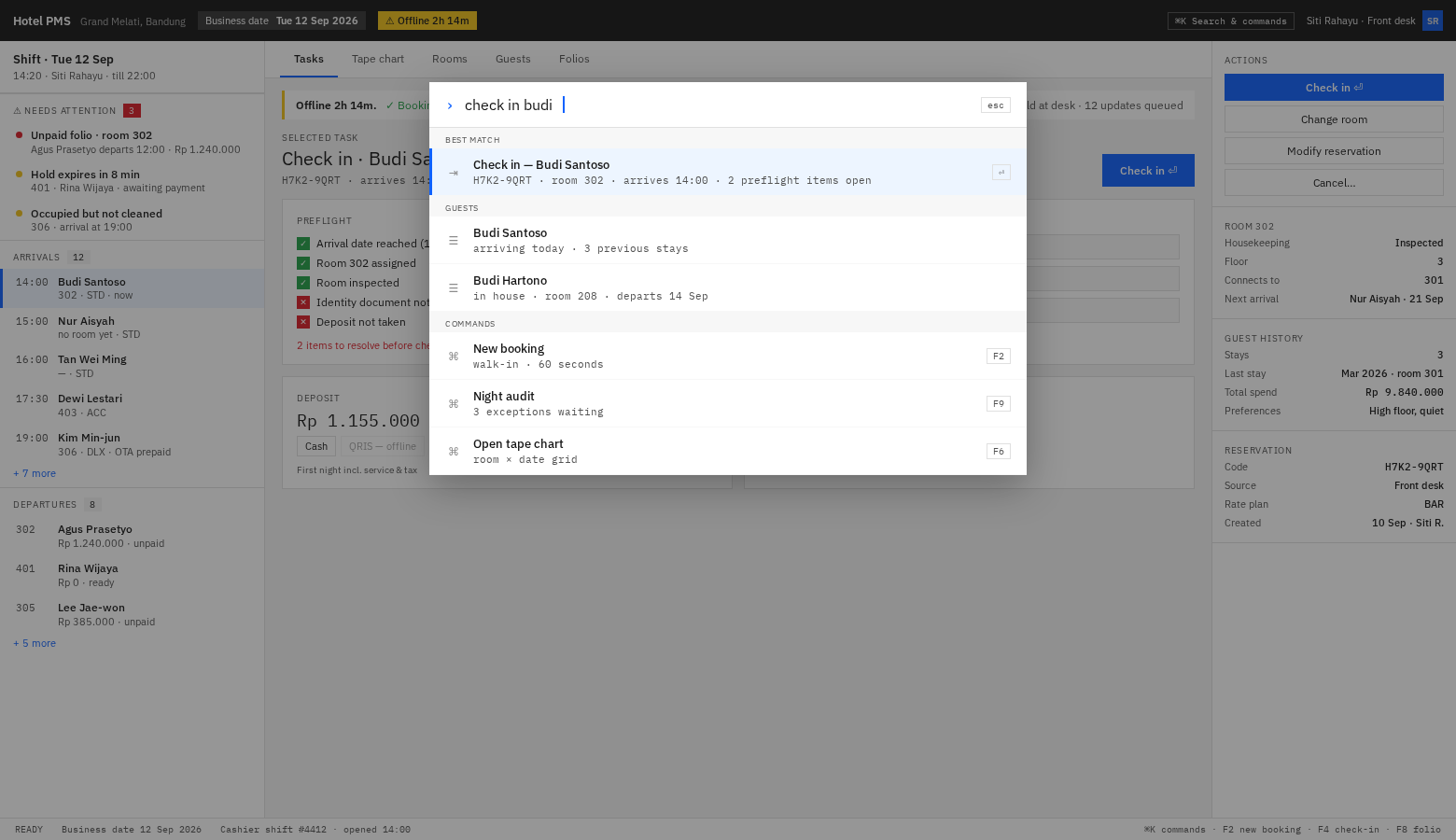
Type intent, get ranked results: best match first, then guests, then commands
with their function keys. Power users never touch the mouse; everyone else never
has to learn it.
What this costs
| Piece | Effort | When |
|---|---|---|
| Three-pane shell + worklist queue | ~4 days | M0/M1 |
| Context rail | ~2 days | M1 |
| Tape chart (virtualised, custom) | ~5 days | M2 |
| ⌘K palette | ~3 days | M2, after there are commands worth running |
| Status bar + function keys | ~1 day | M1 |
The palette is deliberately last — a command bar over an empty app is a demo, not
a feature.
Guest documents are bilingual (decided)
The UI is English. Guest documents print Bahasa Indonesia and English
together — not a locale toggle. One artefact serves an Indonesian guest, an
international guest, and a tax inspector; a toggle guarantees the wrong version is
in the drawer when the inspector asks.
Real consequence worth knowing now: on a 58 mm thermal receipt (~32 chars) a
bilingual label pair does not fit side by side, so those stack on two lines
(Kamar / Room) while 80 mm and A4 render inline. Full detail in docs/06 §11.1.
(For the record: the Indonesian copy in the earlier drafts was mine and it was
not good enough. Any Indonesian text printed and handed to a guest gets a
native-speaker review on the client's side first.)